
10 Key Questions to Consider Before Buying Automation Tools
Author:Johnathan Lightfoot (exnav29)
Date:May 30, 2026

The demo is not the danger. The danger is what the demo does not show.
Most buyers judge an automation by how smooth the demo looked. How confident the seller sounded. How fast the workflow ran. Whether the output appeared clean and the first test passed without a hitch.
That is understandable. It is also insufficient.
What the demo shows you is the happy path — the scenario where the input is clean, the APIs are up, the data is formatted correctly, and nothing unexpected happens. What the demo almost never shows is what happens at the edges. Under load. When a record is missing a field. When a third-party service times out. When the AI produces something plausible but wrong.
That is not due diligence. That is hope dressed up as evaluation.
Before you buy an automation, connect it to your business, or sign off on a deployment, you need to ask harder questions. Here are ten of them.
What exactly does this automation touch? This is the foundation. Before you evaluate anything else, you need a clear picture of every system, dataset, account, and record the automation interacts with. Does it read from your CRM? Write to it? Does it access customer emails? Financial records? Does it send messages on behalf of your business? Trigger invoices? Update staff workflows? A weak answer: "It connects to a few tools to get things done." A stronger answer: A specific list of systems, what the automation reads, what it writes, and what actions it can trigger. If a seller cannot clearly describe what their automation touches, you should not let it touch anything.
What happens when one step fails? Every automation is a chain. The question is what happens when a link breaks. Does the workflow stop entirely? Retry the failed step? Send an alert to someone? Continue processing other records while silently skipping the broken one? The answer determines whether a failure is visible and recoverable — or quiet and compounding. The business risk: A workflow that silently continues past an error can corrupt downstream data, skip customer communications, or create partial records that are worse than no record at all. Ask for a specific scenario. "If step three fails, what happens?"
What is your biggest concern when evaluating automation?
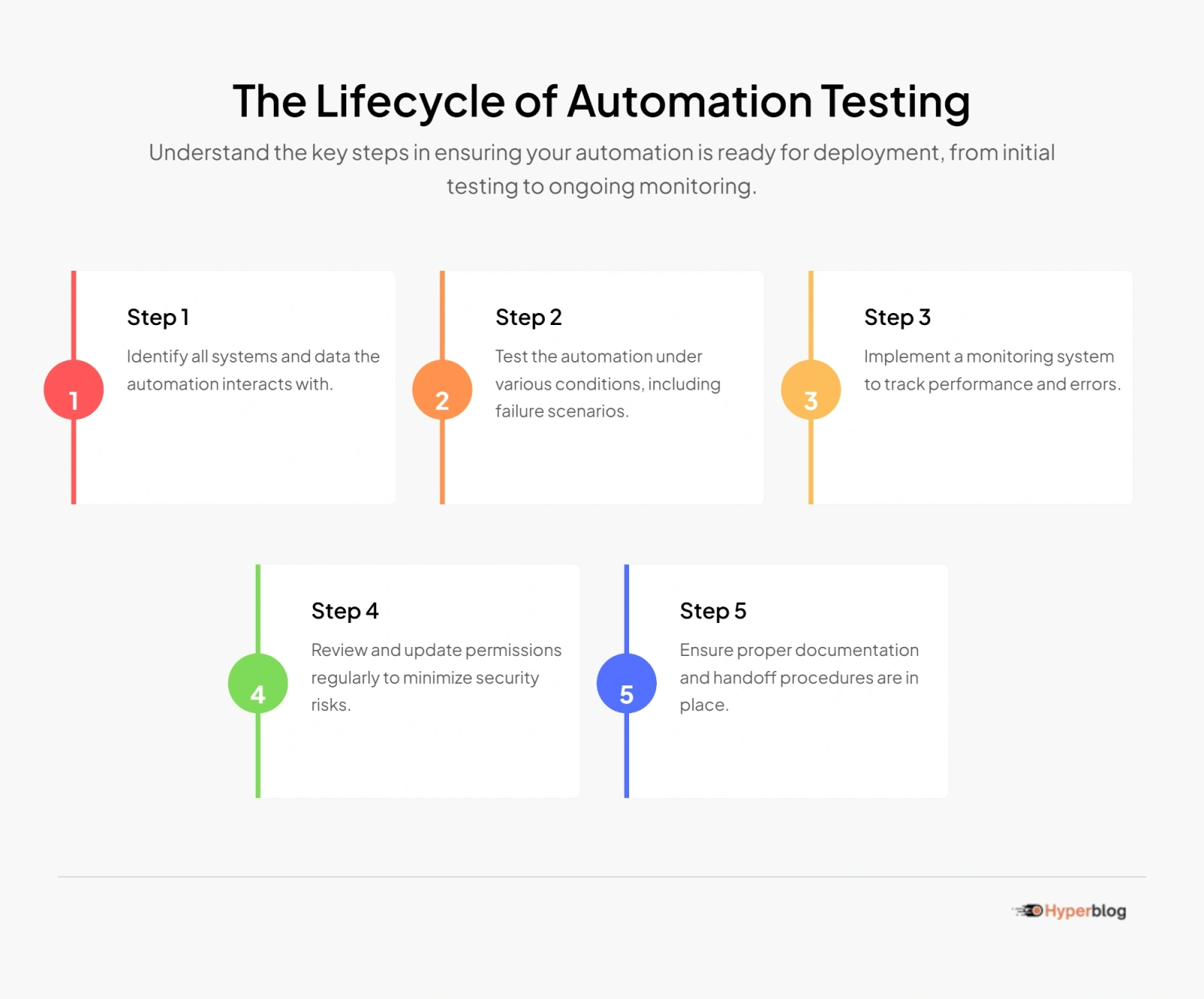
What evidence proves it works beyond the happy path? "We tested it" is not proof. It is an assertion. You want to know what was actually tested, under what conditions, and what that testing produced. Were edge cases documented? Were failure scenarios deliberately triggered? Is there a record of that testing — logs, screenshots, test scenarios, or a report you can review?
Download our comprehensive checklist to ensure your automation is ready for deployment.
A demo shows you what happens when everything goes right. Due diligence asks what happens when something goes wrong. Frameworks like the NIST AI Risk Management Framework exist precisely because untested assumptions in workflows create real organizational risk — not hypothetical risk. Before you trust an automation with live data or live customers, someone needs to have tried to break it.
How does it handle bad, missing, duplicated, or unexpected data? Real business data is messy. Fields are blank. Values are inconsistent. Duplicates exist. Formats drift. Someone submits a form with a special character in the name field. This is where many automations quietly fail. They were built assuming clean, consistent input — and no one told the buyer that assumption existed. What to ask: What does the workflow do if a required field is empty? What happens if the same record is submitted twice? What if the data format is slightly different than expected? If the answer is "it would probably break" or "we would need to handle that case," that is not a problem to solve after you buy it. That is a risk to price before you do.
If AI is involved, how is the AI output validated before action is taken? AI-powered automations deserve additional scrutiny. Not because AI is inherently unreliable — but because AI can be confidently wrong in ways that are difficult to detect without deliberate checks. OWASP's guidance on LLM applications specifically flags risks like insecure output handling and excessive agency: situations where an AI-generated output is passed directly into an action — sending an email, updating a record, making a decision — without a validation layer between the model and the consequence. Ask directly: Before the AI's output triggers an action, what checks that output? Is there a human review step? A validation rule? A confidence threshold? Or does the output go straight to work? If the answer is "the AI handles it," that is not a safeguard. That is a delegation.
Testing beyond the happy path ensures your automation can handle unexpected scenarios and data, reducing the risk of failure.
A proper handoff includes detailed documentation, known limitations, support terms, and maintenance responsibilities.
Monitoring helps detect issues early, allowing for quick responses and minimizing impact on operations.
Broad permissions can lead to security vulnerabilities and unintended data access, increasing the risk of data breaches.
Assumptions define how an automation operates. If they change, the automation might fail, so understanding them helps manage risks.
What permissions does the automation have? Automations run on access. The question is how much access — and whether it is proportionate. Does it use an admin account because that was the easiest setup? Can it send emails from your domain? Delete records? Access data it does not need to do its job? Permissions that are too broad mean that a bug, a logic error, or a compromised credential can do far more damage than intended. The principle is simple: An automation should have exactly the access it needs to function, and no more. If the workflow requires admin credentials to perform a task that should need a limited-access account, that is a design risk — not an implementation detail.
What logs, alerts, or monitoring exist? If something goes wrong with this automation tomorrow, how would you know? CISA's guidance on logging makes the point clearly: systems need records of their activity so that teams can detect problems, investigate incidents, and respond appropriately. An automation without logs is an automation you cannot audit, debug, or defend. Ask: Does this workflow write logs? Where are they stored? How long are they kept? Are there alerts if a step fails or produces unexpected output? Is there a dashboard or monitoring approach in place? If the seller has not thought about monitoring, that tells you something. Good automation work builds observability in from the start — not as an afterthought.
What happens after handoff? This is the question most buyers forget to ask — and most sellers are not eager to answer in detail. Who owns this after you take delivery? Is there documentation? What happens when the connected API changes a parameter? When a third-party tool updates and breaks the integration? When a credential expires? When your team needs to understand what the workflow actually does six months from now? A weak handoff looks like: A Loom video walkthrough, a verbal explanation, and a "reach out if you have questions." A serious handoff looks like: Documented workflow logic, known limitations, support terms, maintenance responsibilities, and a clear answer to what happens when something changes. You are not just buying a workflow. You are buying an ongoing operational dependency. Treat it that way.
What assumptions does the automation depend on? Every automation runs on assumptions. The problem is that most of those assumptions are invisible until they break. The automation may assume that a particular field will always be populated. That an API will respond within two seconds. That filenames follow a specific format. That a human will review outputs before they are published. That the AI model's behavior will remain consistent across updates. Ask the seller to state the assumptions explicitly. What does this workflow depend on being true in order to function correctly? If any of those assumptions shift, what breaks? This is not a trap. It is a reasonable question. A seller who has thought carefully about their work will have a clear answer.
What would happen to your business if this automation failed? This is the question that reframes everything. Not "would it be annoying?" — but what is the actual business consequence of a failure? Would customers receive incorrect communications? Would revenue be miscalculated? Would staff make decisions based on corrupted data? Would a compliance process be silently skipped? The higher the consequence of failure, the higher the standard of evidence you should require before deployment. A workflow that routes internal notifications failing is a nuisance. A workflow that handles customer billing failing is a crisis. Know which one you are buying.
Some answers should make you pause immediately. If you hear any of the following, take it seriously.
None of these are outright lies. But all of them are signals that the automation has not been built or evaluated with operational readiness in mind.
Not every automation needs enterprise-grade documentation. But before you buy, a serious seller should be able to provide:
Bulletproof Automation QA is not a builder. We are an independent reviewer. We review automations before you buy them, before you deploy them, and before you depend on them. We help buyers understand what they are actually acquiring — the risk, the assumptions, the failure modes, the evidence — before money, data, or operational trust is committed. We help builders and agencies demonstrate that their work is genuinely ready, not just demo-ready. We do not ask whether the workflow runs. We ask whether your business can trust it.
If you are evaluating an automation, AI agent, workflow package, or done-for-you system, do not let a smooth demo be the last word. Get a Bulletproof QA Snapshot before you connect it to your business. [Get Your QA Snapshot →]